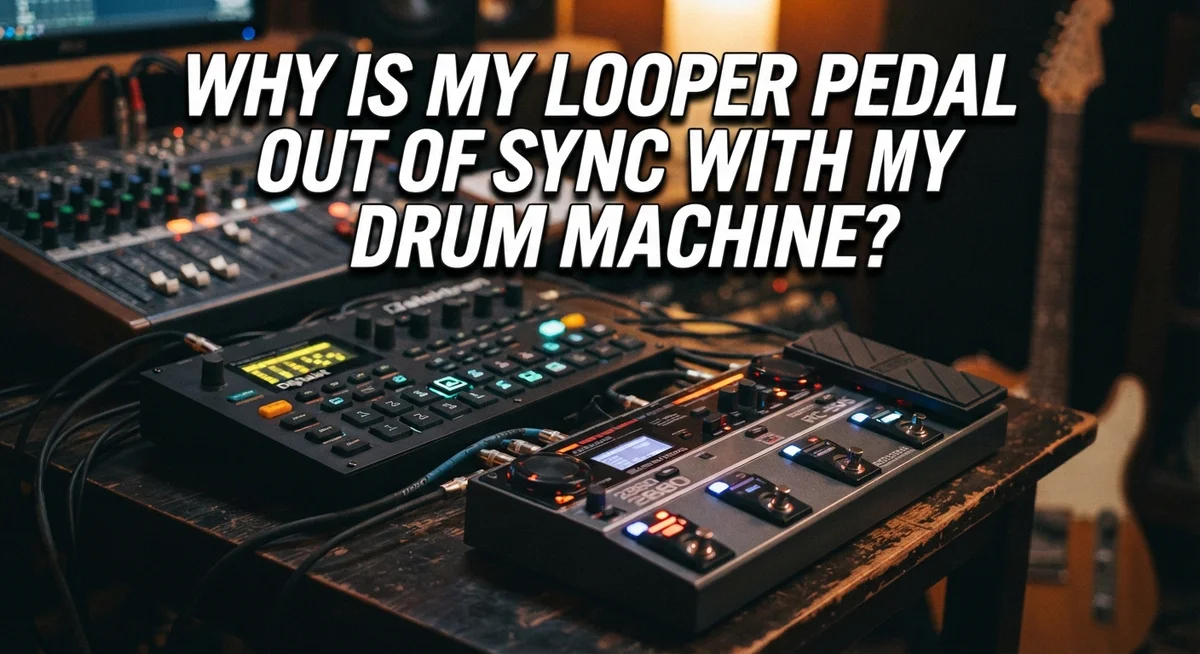
Why Is My Looper Pedal Out of Sync With My Drum Machine?
You hit record. You start your loop. Then, a few bars later, everything falls apart.
Your looper pedal and drum machine sound like two different songs fighting each other. Sound familiar?
This is one of the most common frustrations for musicians who use loopers alongside drum machines. The two devices seem simple enough on their own. But together, they can drift out of sync fast.
The good news? This problem has clear causes and clear fixes.
In this guide, we break down why your looper pedal loses sync with your drum machine. We will look at BPM mismatches, missing MIDI connections, and timing habits that quietly wreck your groove.
In a Nutshell
- Sync issues happen because of timing gaps. Your looper and drum machine run on separate internal clocks. Without a shared reference point, they drift apart.
- Starting order matters a lot. Always start your drum beat first. Then begin recording your loop on top of it.
- MIDI connectivity fixes most problems. Loopers with MIDI in and out can lock tempo directly with your drum machine. This creates a much tighter connection.
- BPM settings must match exactly. Even a tiny difference between devices causes drift over time. Double check both settings before you play.
- Tempo Sync is your best friend. Turn this feature on if your looper pedal has it. It helps the device follow external timing automatically.
- Budget gear often lacks sync features. Cheaper loopers may not have MIDI or tempo sync options. This makes manual syncing harder and less reliable.
- Practice alone will not fix drift. You need active sync tools, not just better timing skills. Technology solves this problem better than repetition does.
Understanding How Looper Pedals and Drum Machines Sync
Your looper pedal and drum machine each have their own internal clock. These clocks tick at slightly different speeds, even if they start at the same tempo. Over time, this tiny difference adds up, and the devices drift apart.
Think of it like two runners starting a race together. If one runs slightly faster, they will be ahead after several laps. Your looper and drum machine work the same way. After a few cycles of playback, they fall out of sync.
The order you start matters greatly. If you hit record on your looper first, then start the drum machine, you create a timing gap from the beginning. The drum machine plays to its own beat while your looper waits for input. This initial misalignment grows worse as both devices keep playing.
MIDI connectivity solves this problem directly. When your looper receives MIDI clock signals from your drum machine, both devices follow the same master tempo. The drum machine becomes the leader, and the looper becomes the follower. This keeps them locked together.
Your BPM settings must match exactly between both devices. If your looper is set to 120 BPM and your drum machine runs at 120.5 BPM, they will drift. Always check that both devices display the same tempo before you start recording.
Tempo Sync features are essential. Many modern looper pedals include this option. When enabled, the looper adjusts its internal clock to match incoming tempo signals. This active synchronization prevents drift during long performances.
Budget looper pedals often lack MIDI connectivity and tempo sync features. These simpler models rely on your timing alone. Without electronic sync, drift becomes inevitable over multiple loops. Understanding these limitations helps you choose the right gear for your needs.
Common Reasons Your Looper Drifts Out of Sync
Your looper pedal drifts out of sync for several specific reasons. Understanding these causes helps you fix the problem quickly.
Timing differences between devices cause most sync issues. Your looper pedal has its own internal clock. Your drum machine has a separate internal clock. Even if both start at the same tempo, tiny timing variations accumulate over multiple playback cycles. After just a few loops, you notice the drift.
Starting order matters more than you think. Many musicians hit record on the looper first, then start the drum machine. This creates an immediate timing gap. The drum beat never locks to the looper’s original timing. Always start your drum machine first, then record your loop. This gives the looper a reference point to follow.
Mismatched BPM settings create instant problems. If your looper is set to 120 BPM and your drum machine runs at 119 BPM, they will gradually separate. Even one BPM difference adds up quickly. Check both devices and set them to the exact same tempo before you start playing.
Missing sync features limit your options. Budget looper pedals often lack MIDI connectivity or tempo sync functions. Without these features, your looper cannot receive timing information from your drum machine. It simply plays at whatever speed you recorded it. This makes perfect sync nearly impossible without external help.
Disabled tempo sync features prevent automatic alignment. Some looper pedals include tempo sync but require you to activate it in the settings menu. If this feature is off, your looper ignores the drum machine’s timing signals. Check your looper’s manual to find and enable this option.
These four factors explain why your looper falls out of sync. Addressing each one dramatically improves your results.
The Role of MIDI Connectivity in Reliable Syncing
MIDI connectivity acts as a digital communication bridge between your looper and drum machine. When these devices speak the same language, they can stay locked together instead of drifting apart.
Here’s how MIDI works in practice. Your drum machine sends timing signals called MIDI clock pulses to your looper pedal. These pulses tell the looper exactly when to play and when to record. Think of it like a conductor keeping an orchestra in time.
MIDI in and MIDI out ports are the physical connections you need. The MIDI out port on your drum machine connects to the MIDI in port on your looper. This one-way connection lets your drum machine be the master clock that controls everything.
Without MIDI connectivity, both devices rely on their own internal clocks. These clocks rarely stay perfectly aligned. Over multiple cycles, even tiny differences add up, and your loop drifts noticeably away from the beat.
Budget looper pedals often skip MIDI ports entirely. These models force you to sync manually by ear, which works for short jams but fails during longer sessions. Higher-end loopers include MIDI connectivity as standard.
Setting up MIDI sync requires just a few steps. First, connect the MIDI cable between devices. Second, set your drum machine as the master clock. Third, enable MIDI sync on your looper if the option exists.
Once MIDI is active, your looper automatically adjusts to match your drum machine’s tempo. The looper no longer relies on its own timing. This creates rock-solid synchronization that lasts through entire performances.
MIDI connectivity eliminates the guessing game. Your devices communicate precisely instead of hoping they stay together. If your current looper lacks MIDI ports, this feature becomes the most important upgrade to consider for reliable syncing.
Step-by-Step Guide to Syncing Your Looper With a Drum Machine
Start your drum machine first. Let it play for a few beats before you hit record on your looper. This gives both devices a clear reference point to follow. Many musicians make the mistake of recording the loop first, then starting the drum beat. This reverses the timing relationship and causes immediate drift.
Once your drum machine is running, check that both devices display the same BPM number. Your looper should show 120 BPM if your drum machine shows 120 BPM. Even a one beat per minute difference creates noticeable drift after several cycles. Take thirty seconds to verify these numbers match exactly before recording anything.
Next, look for a Tempo Sync button or menu option on your looper pedal. This feature tells your looper to follow the drum machine’s timing instead of using its own internal clock. Enable this option if your pedal has it. Without tempo sync active, your devices operate independently and will gradually separate.
If your looper has MIDI ports, connect a MIDI cable from your drum machine’s MIDI out to your looper’s MIDI in. This creates a direct communication line between the two devices. MIDI sync is more reliable than audio sync because it sends precise timing signals rather than relying on sound detection.
Press record on your looper while the drum beat plays. The looper should now lock onto the drum machine’s tempo automatically. Play your loop for at least thirty seconds before stopping to test for drift. If the timing stays tight, your sync setup is working correctly.
Some looper pedals require you to set them to “slave” mode so they follow external timing. Check your pedal’s manual for this specific setting. Proper setup takes just a few minutes but prevents hours of frustration during practice or performance.
Best Practices for Maintaining Long-Term Sync Stability
Maintaining long term sync stability requires consistent attention to your equipment setup and settings. Think of your looper and drum machine as two musicians who need to stay in rhythm together. Without active management, they will gradually drift apart.
Enable active sync features on both devices. Most modern looper pedals include a tempo sync button or menu setting. Turn this on before you start playing. Your looper will then listen to your drum machine’s tempo and adjust automatically. This is the single most important step you can take.
Check your BPM settings regularly. Even small differences like 120 versus 119 BPM add up quickly over multiple loops. Before each practice session, verify that both devices show identical tempo numbers. This takes 30 seconds and prevents frustration later.
Use MIDI connectivity when available. MIDI cables create a direct communication line between your devices. Your looper receives precise timing information from the drum machine. This connection is far more stable than trying to sync by ear alone.
Keep your devices updated. Manufacturers release firmware updates that fix sync issues and improve stability. Check the manuals or websites regularly for available updates.
Avoid starting your looper first. Always begin with your drum machine running. Then press record on your looper while the beat plays. This establishes the correct timing reference from the start.
Test your setup before important sessions. Run both devices together for several minutes and listen for drift. If you notice timing problems, revisit your sync settings rather than assuming the issue will resolve itself.
Physical cable connections matter too. Make sure MIDI cables are fully inserted into ports. Loose connections cause intermittent sync problems that seem random but actually stem from poor contact.
These practices keep your looper and drum machine locked together reliably throughout your playing session.
Mistakes That Cause Persistent Sync Issues
Recording your loop before starting the drum machine is one of the biggest errors. Your looper establishes its own tempo when you hit record first. Then your drum machine plays at a different speed, and they never align properly.
Forgetting to enable tempo sync features ranks as another critical mistake. Many looper pedals have sync buttons or menu options that sit unused. Your devices won’t communicate if you skip this step, leaving them to drift apart during playback.
Mismatched BPM settings between your devices create immediate problems. You set your drum machine to 120 BPM but leave your looper at 100 BPM. The two speeds never match, no matter how hard you try to sync them manually.
Assuming practice alone fixes sync drift is unrealistic. Your looper and drum machine have internal clocks that run independently. Over multiple playback cycles, they gradually slip out of alignment. Technology must do the heavy lifting here, not your ear.
Ignoring MIDI connectivity options when they’re available wastes a major advantage. MIDI cables let your devices talk to each other directly. Without them, you’re stuck relying on audio cues and manual adjustments, which fail over time.
Not checking your physical cable connections causes hidden problems. A loose MIDI cable creates intermittent sync failures. You’ll experience random dropouts and alignment issues that seem random but stem from poor connections.
Starting your looper before the drum pattern begins repeats the first mistake. Your looper needs an external reference point. It should follow the drum machine’s established tempo, not create its own baseline.
These mistakes compound when combined. One error becomes manageable. Multiple errors together guarantee persistent sync problems that frustrate your recording sessions.
Troubleshooting Ongoing Sync Problems
When your looper pedal drifts out of sync during playback, the problem usually stems from one of three sources: timing settings, hardware connections, or device limitations.
Timing drift happens gradually. Your looper and drum machine may start together perfectly, but after several cycles, they pull apart. This occurs because internal clocks in different devices run at slightly different speeds. Even tiny differences compound over time. Without active synchronization, separation becomes noticeable within minutes.
Check your BPM settings first. Open your drum machine’s menu and write down the exact tempo number. Now look at your looper’s display. Do both show identical BPM values? Many sync problems vanish once you confirm both devices read the same number. If one device shows 120 BPM and the other shows 120.5 BPM, that small difference creates noticeable drift.
Cable quality affects sync reliability. Loose MIDI connections interrupt the timing signal between devices. Push your MIDI cables firmly into both ports until they click. Wiggle them gently to confirm they sit properly. A half-inserted cable looks connected but transmits incomplete data, causing your devices to lose synchronization.
If your looper lacks MIDI connectivity, consider whether it supports tap tempo or external clock input. Some loopers accept audio click signals or sync pulses through alternative ports. Check your manual for these options.
Firmware updates matter too. Manufacturers release software updates that improve sync accuracy. Visit the support page for both your looper and drum machine. Download and install any available updates. These fixes often address timing issues that frustrated earlier users.
When problems persist after checking settings and connections, your looper may have hardware limitations. Budget models sometimes cannot maintain sync with external devices reliably. In these cases, manual restarting becomes your best option during sessions.
Final Thoughts
Sync problems between your looper pedal and drum machine feel frustrating. But most issues come down to a few simple fixes.
Start your drum machine first. Always let the beat begin before you record your loop. This one habit prevents many sync headaches.
Tempo sync features exist for a reason. Turn them on. Check that both devices share the same BPM setting before you play.
MIDI connectivity makes a real difference. If your looper supports MIDI in and out, use it. This creates a stable timing link between your gear.
Budget loopers often lack strong sync tools. If you own one, pay extra attention to manual settings. Test everything before a live show or recording session.
Drift happens naturally over time. Even good setups can slip out of sync during long sessions. Regular checks keep your timing tight.
Think of sync as an ongoing task, not a one time fix. Your devices need consistent attention to stay aligned.
Review your BPM settings often. Confirm your cables are secure. Update your firmware when new versions come out.
These small habits build a reliable setup. They save you from awkward pauses or restarts during a performance.
Remember, practice alone will not fix sync drift. You need active features and correct settings working together.
If you keep hitting the same problems, go back to basics. Start the drum beat first. Enable tempo sync. Match your BPM values.
Sync issues are common, but they are also fixable. With the right setup, your looper pedal and drum machine can work together smoothly.
Take time to test your gear before important sessions. A few extra minutes of prep can save you from frustration later.
With patience and the right approach, you can build a setup that stays locked in, cycle after cycle.
Frequently Asked Questions
Why does my looper pedal drift out of sync after a few cycles?
Timing drift happens naturally when your looper and drum machine aren’t actively communicating. Both devices run on internal clocks that gradually move at slightly different speeds. After several playback cycles, even tiny differences add up. This is completely normal. The solution involves enabling sync features that force both devices to stay locked together, rather than running independently.
What’s the best way to start recording my loop?
Always start your drum machine first. Let the beat play for at least one full measure before you begin recording. This gives your looper a clear timing reference to follow. Starting your loop before the drum pattern begins creates an immediate sync problem that gets worse over time.
Do I really need MIDI connectivity to sync properly?
MIDI connectivity gives you the best sync results, but it’s not always required. Loopers with tap tempo or external clock input can work well too. If your looper lacks these features, you’ll need to rely more on careful manual timing and watching for drift during playback. MIDI simply makes the process more reliable and hands free.
How often should I check my BPM settings?
Check your BPM settings before every practice session or performance. Make sure both your looper and drum machine display the exact same tempo. Even a one or two BPM difference will cause noticeable drift after several minutes. This takes just seconds but prevents major sync headaches later.
Will firmware updates actually help my sync problems?
Yes. Manufacturers release software updates that improve timing accuracy and sync stability. Check if your devices have available updates and install them. This costs nothing and often solves sync issues that seemed impossible to fix otherwise.

Hi, I’m Tessa! As a lifelong music lover and gear enthusiast, I started this blog to help fellow musicians navigate the overwhelming world of instruments and equipment. I spend my time researching, comparing, and reviewing musical gear so you can spend yours doing what matters most — making music.